 TabToBook
Read the web on your e-reader, not in a tab.
TabToBook turns the article you're reading into a clean EPUB in one click. Edit the title, drop the images you don't want, then download it and send it to your e-reader.
Add to Chrome, it's freeFree. No account. Nothing leaves your device.
How it works
Click on any article
Use the toolbar button, the right-click menu, or Alt+Shift+E. Ads, menus and clutter are stripped out.
Check the preview
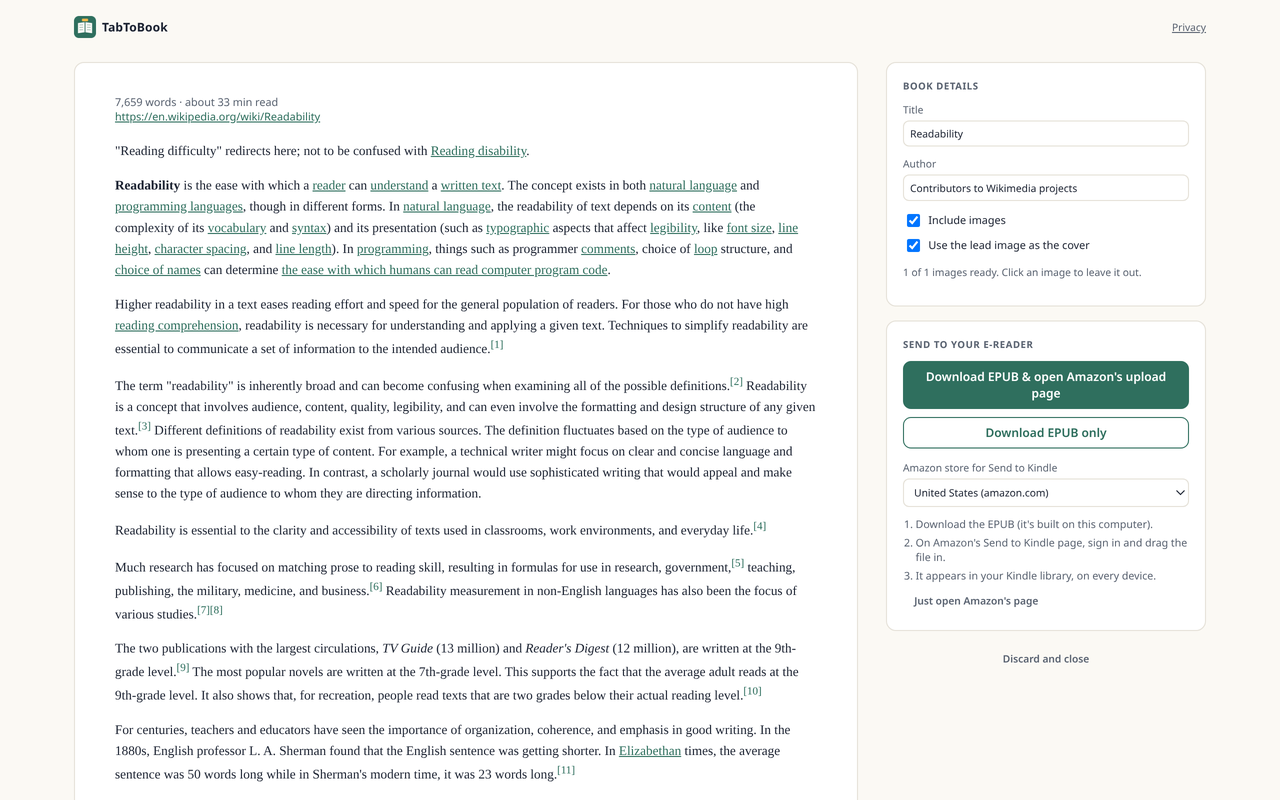
Fix the title and author, leave out an image with a click, and choose whether to use the lead image as the cover.
Download and send
Get a standard EPUB file. It works with Kindle through Amazon's own Send to Kindle page, and with Kobo, Boox, PocketBook and Apple Books.
Why TabToBook
Private by design
No servers, no sign-up, no analytics. It reads a page only when you click, using Chrome's activeTab permission.
Real books, not printouts
Reflowable EPUB 3 with a table of contents, metadata and e-reader-safe images. Files pass the W3C EPUBCheck validator.
You stay in control
You upload to Amazon yourself on Amazon's page, so we never see your Amazon account or your Kindle email address.
FAQ
How do I get the file onto my Kindle?
Click "Download EPUB & open Amazon's upload page". On Amazon's Send to Kindle page, sign in and drag the file in. It appears in your Kindle library on every device.
Does it work on paywalled or logged-in pages?
It reads only what is already visible in your tab. If you can read the article in your browser, TabToBook can usually convert it for your own use. Please respect each site's terms.
Why are some images missing?
Some image hosts don't let browser extensions download their images. Those are left out, and the preview tells you which ones before you save.
Is it really free?
Yes. The core extension is free. If we ever add paid extras, the free features stay free and no data will leave your device without your opt-in.